Sideload apps on
your own terms
Install any IPA on your iPhone, iPad, Apple Silicon Mac, and Apple TV.
v0.71.0 · macOS 10.12+ · Windows 7+ · 64 & 32-bit
Features
Everything you need to sideload
No Jailbreak Required
Built for non-jailbroken devices. Sideload apps while keeping your device stock.
Automatic App Refreshing
Background daemon automatically re-signs your apps every few days to prevent them from expiring.
Wi-Fi Sideloading
Install apps without connecting via USB. Sideload wirelessly over your local network.
iOS 7 to 27+
Supports iOS 7 all the way up to iOS 27+ and future versions.
Apple Silicon Support
Install iOS apps on your M1/M2/M3/M4/M5/M6 Pro/Max/Ultra Mac. Works with free/paid Apple IDs & SIP enabled.
Apple TV Sideloading
Sideload apps directly onto your Apple TV (tvOS) device.
Free & Paid Apple ID
Sideload with a free or paid Apple Developer account. No paid account required.
Save Credentials
Save your Apple ID credentials for easy and quick sideloading.
JIT Compilation
Just-In-Time compilation lets certain apps run faster by surpassing iOS restrictions. Supports up to iOS 16.
Drag & Drop
Drop .IPA files directly into the app to install.
Modify iOS Version
Change the minimum iOS version required to run the app.
Remove Restrictions
Remove app/IPA restrictions on supported devices.
Change App Name
Change the app name that appears on your home screen.
Change App Icon
Change the app icon that appears on your home screen.
Change Bundle ID
Change the bundle ID to allow multiple or duplicate app installs.
Multiple Install Modes
Apple ID sideload, normal install, ad-hoc sign, and export tweaked IPA. Each option explained on hover.
App File Sharing
Access the sideloaded app's documents on your PC and via the iOS Files app.
Remove Extensions
Remove individual or all app extensions (PlugIns) before install.
URI Scheme
Download and sideload an IPA directly from the web via URL scheme.
Installation Logs
View installation logs for easier troubleshooting.
Device System Logs
View device system logs for troubleshooting general device or app issues.
Hide Sensitive Info
Hide personal data for screenshots, tutorials, or sharing logs for troubleshooting.
Tweak Injection
Inject multiple .dylib, .deb, .framework and .bundle files. Includes Cydia Substrate & Substitute support.
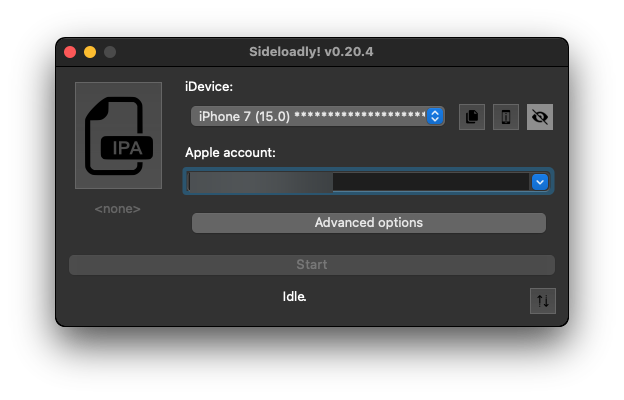
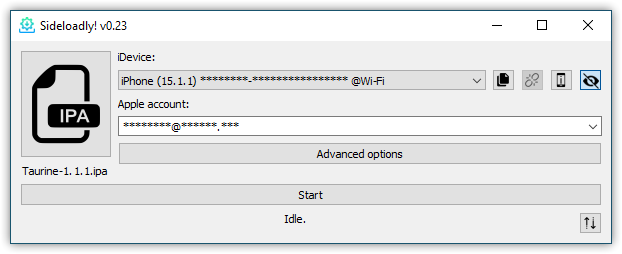
Light & Dark Mode
Sideloadly supports both light and dark mode on macOS.
How It Works
Four steps to sideload
Download
Get Sideloadly for macOS or Windows
Load IPA
Drag & drop your app file
Apple ID
Enter your free or paid Apple ID
Sideload
Install directly on your device